You’ve chosen a design for your baby shower website, but the welcome box is still empty. You want it to sound like your family. You also want your guests to find the date without sending you another message.
Start with a warm hello, then tell guests who you’re celebrating, when it’s happening, how to take part and where to RSVP. Put optional registry information and extra instructions in their own sections so guests can find what they need.
These baby shower website wording examples cover the page guests visit after opening their invitation. Copy the sections you need and replace the details in brackets. A few words that sound like you are enough.
Try Out All Our Themes In Our New Free Demo
What Should a Baby Shower Website Say?
Before adding cute details, make sure the website answers these questions:
- Who is the celebration for?
- Is it in person, online, a mix of both, or something guests join in their own time?
- What is the date, start time, end time and time zone, where relevant?
- Where should guests go, and what should they do before joining?
- How and when should they reply?
- Who can help if they have a question?
Choose the names and family terms the parents prefer. “Celebrating Jordan and Casey” works just as well as “Honoring the mom-to-be” if that better reflects your family.
For example, a guest joining online needs the call time and joining instructions; someone coming to lunch needs the address. Write for both people if you’re hosting a hybrid shower, and give each a clear next step.
1. A Warm Homepage Welcome
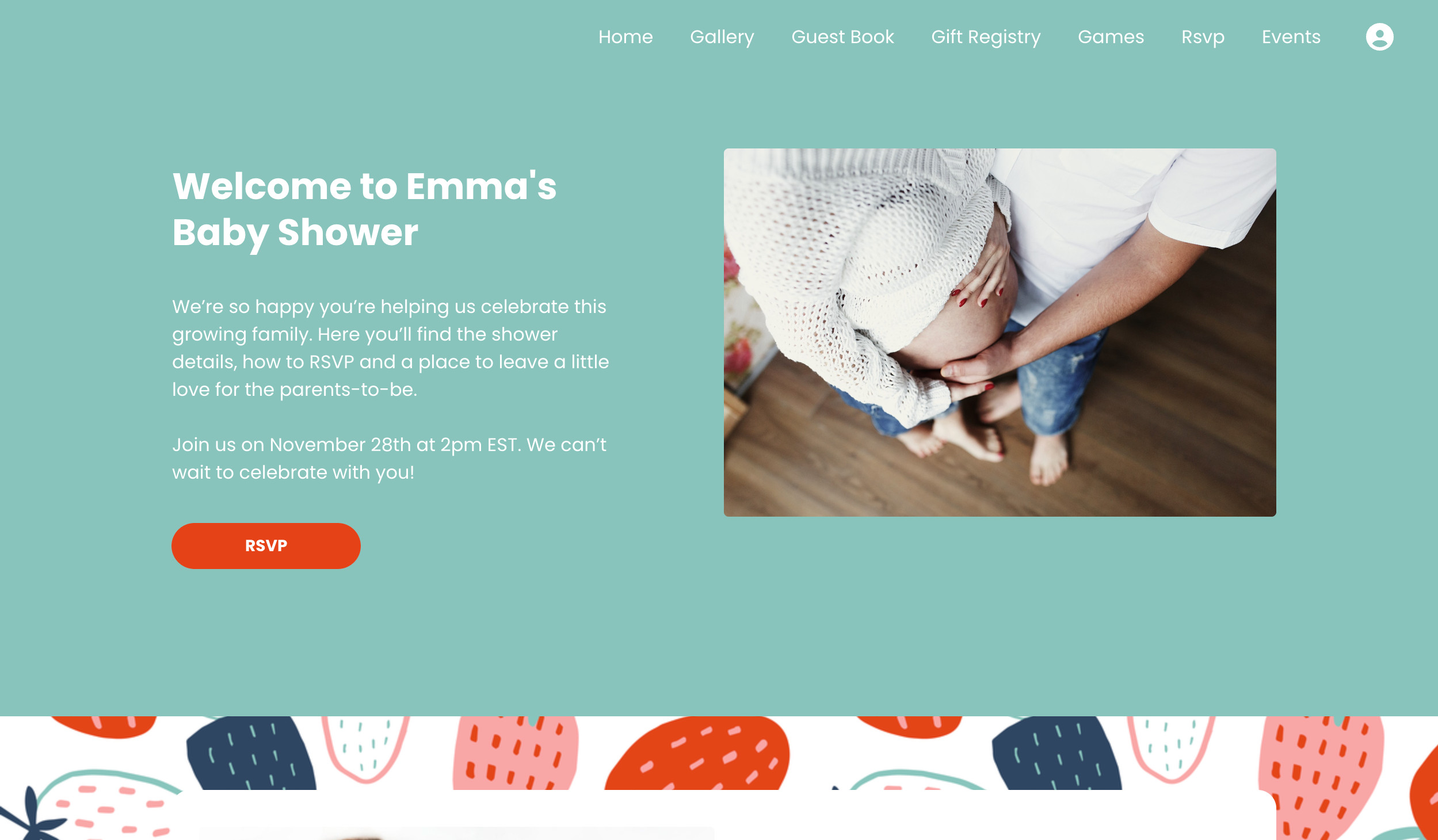
Welcome to [parent names]’ baby shower!
We’re so happy you’re helping us celebrate this growing family. Here you’ll find the shower details, how to RSVP and a place to leave a little love for the parents-to-be.
Join us on [full date] at [time and time zone]. We can’t wait to celebrate with you!
A short, sweet welcome works best. Many guests will open your page on their phone, so keep your message light and let the date and details shine. Have more to share, like a favorite bump photo or your announcement moment? Your page’s photo sections and gallery are the perfect place to show them off.
2. In-Person Event Details
We’re getting together to celebrate [parent names] with [lunch, treats or planned activity].
When: [full date], [start time] to [end time]
Where: [venue and approved address or directions]
Please reply by [RSVP date] using [RSVP method]. If you need information about access, parking or food, contact [host name and contact method].
Only include an address the host has agreed to share. If children or additional guests are invited, explain that clearly and make sure to update your RSVP settings for additional guests. That way, no one has to wonder whether the invite is just for them or the whole family, and you’ll have a better idea of how many to expect.
3. Virtual Baby Shower Details
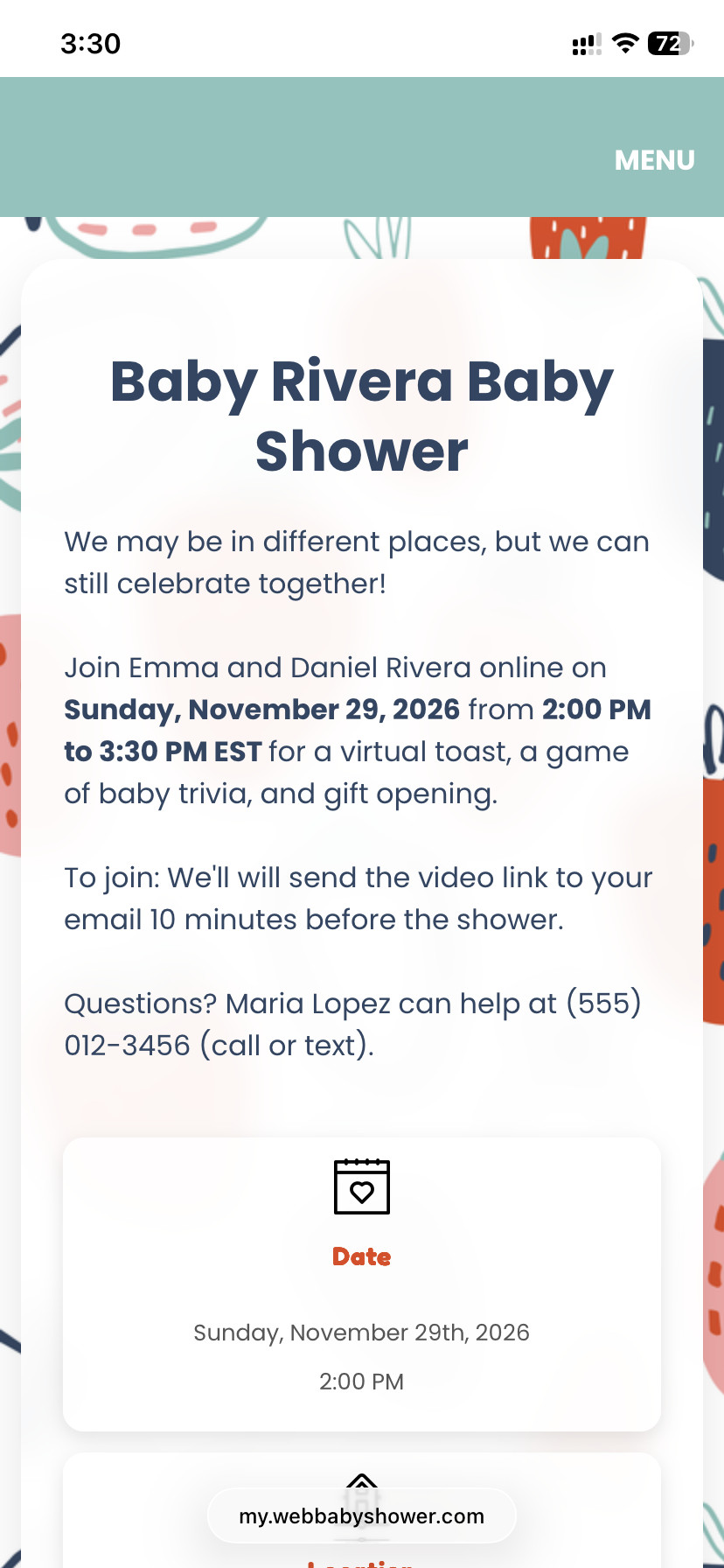
We may be in different places, but we can still celebrate together!
Join [parent names] online on [full date] from [start time] to [end time and time zone] for [games, conversation or planned activities].
To join: [joining link and steps]. Please try the link before the day so we have time to help if you need it.
Questions? [Host name] can help at [contact method].
Open the joining link as a guest before sending it. Add any camera-and-microphone steps they’ll meet along the way.
Need wording for the invitation itself? See our virtual baby shower invitation wording ideas.
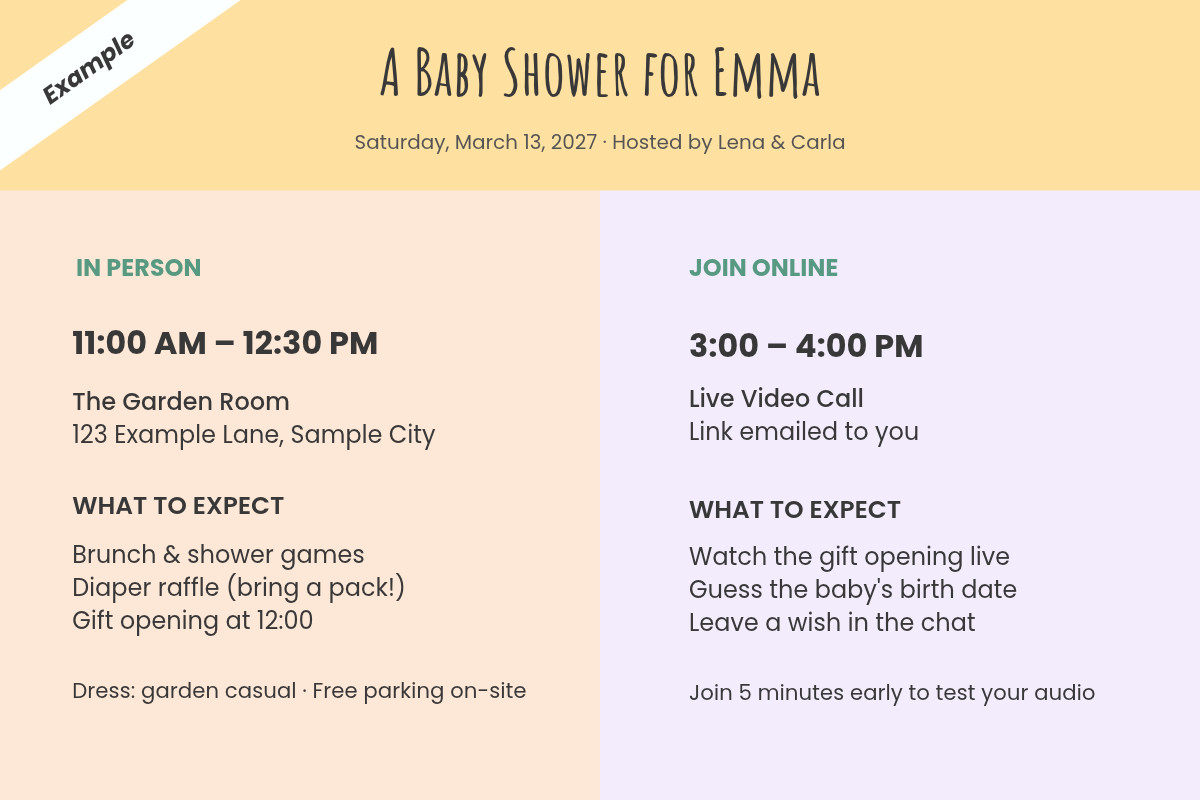
4. Hybrid Baby Shower Details
Celebrate with us in person or from wherever you are!
In-person gathering: [date, start and end time, venue details].
Online celebration: [date, start and end time, time zone and joining instructions].
Please tell [host name] whether you’ll join in person or online when you reply. Our shared activities begin at [time and time zone], so both groups can be part of the fun.
If your in-person and online celebrations happen at different times, share each schedule separately so faraway guests know just when to log on. Then let everyone know how to tell you whether they’ll be joining in-person or virtually. That little step makes planning easier for everyone.
5. A Simple RSVP Request
Please let us know by [date] whether you can join us. Use [RSVP button, reply email or other method] and tell us [any details your host needs]. We’re looking forward to celebrating with you!
Give one main response method, then a contact for anyone who needs help. For more about collecting replies, see our baby shower RSVP guide.
6. A Gentle RSVP Reminder
A little reminder from your shower hosts: we’re confirming plans for [parent names]’ celebration on [date]. If you haven’t replied yet, please let us know by [deadline] at [RSVP location]. If your plans have changed, that’s okay. Just send [host name] a note. Thank you!
Send this only to guests whose replies are still missing, after checking your current list. A reminder should make it easier to respond, not make someone feel guilty for being unavailable.
7. Optional Registry Wording
Your love and encouragement mean so much to us. If you’d like to choose a gift, you’ll find [parent names]’ registry links below. Gifts are completely optional, and we’re grateful to celebrate with you either way.
Link to the parents’ actual lists, with clear labels such as “Jordan and Casey’s Babylist Registry.” Don’t send guests to a retailer’s homepage and make them search.
Guests will choose and buy gifts through the linked registry or store. For more gift-specific examples, see our baby registry welcome messages.
8. Guest Book Wording for People Who Can’t Attend
Can’t make the celebration? You’re still part of this special time. Leave a wish, a favorite memory or a little encouragement in the guest book whenever you have a moment. We’d love to hear from you.
If your guests need a starting point, add one prompt: “What is one thing you hope this little one gets to discover?” Make advice optional; some people would rather share a kind message than parenting tips.
9. A Friendly Photo-Sharing Note
We’d love to keep a few memories from the shower. Please share photos through [photo-sharing link or host’s contact], and check with anyone pictured before uploading. Please ask [parent names] before posting their photos or baby news on public social media.
Try the photo-sharing route yourself before adding it to the page. Ask guests to keep addresses and shipping labels out of their pictures, and remember that someone can forward a shareable website link.
10. A Thank-You Message After the Shower
Thank you for celebrating [parent names] and their little one! Whether you joined us, sent a message or cheered us on from afar, we’re grateful for your kindness.
You can find [photos or a family update] at [location]. We loved having you with us.
A website message is a warm general thank-you. Follow up personally for individual gifts or special help; our baby shower thank-you wording guide can help you find the words.
Put the Words Where Guests Need Them
Use a welcome at the top, event details nearby, and separate sections for RSVPs, registry links and messages. You don’t need to put every instruction in the opening paragraph.
If you’re choosing a shower website, open a WebBabyShower demo and look for the date, registry links and guest book. Picture a friend opening that page on their phone, then use these examples to write the details they’ll need.
Before sharing the link, ask someone who didn’t write the page to read it on a phone. Can they tell when the shower is, how to attend and how to reply without asking you? Test the links as well as the words.
Baby Shower Website Wording FAQs
Should the Website Repeat the Invitation?
Repeat essential details consistently, then use the website for the extra information that would make an invitation crowded. If the schedule changes, update both the main details and any guests who received the earlier version.
Can We Use These Examples for a Sprinkle or an Adoption Celebration?
Yes. Replace the event name and family details, then check the parents’ preferred wording. You don’t need to mention a due date, pregnancy or birth if those details don’t fit or the family wants to keep them private.
How Much Should We Write?
Write enough to answer guests’ practical questions. A short welcome and clearly labeled details are more helpful than a long opening that hides the RSVP instructions. You can always add a personal story in its own section.
Throw a Virtual Baby Shower so Everyone Can Celebrate!
• Explore the demo before choosing a plan
• Only 1 Minute Setup!
• 80+ Custom Themes & Matching Invites
• Use Any Online Registry
• Send Unlimited Invites and Updates
• Baby Shower Games with Scoreboards, Give Prizes!