Everyone has waved hello. The parents-to-be are on screen, a guest has found the unmute button, and you’re ready to begin. Having the next activity written down saves you from trying to invent it while everyone waits.
A virtual baby shower agenda gives the call a simple running order: welcome, activities, time for the parents, then a goodbye. Gift opening is optional. Use one of the 30- or 60-minute plans below and adjust it to the people you’re inviting.
Pick a version, choose your activities, and give a copy to your co-host. You’ll have less to think about once everyone arrives.
Try Out All Our Themes In Our New Free Demo
Choose a Length That Fits Your Guests
A 30-minute plan can suit a small gathering or a work celebration that needs to fit into the day. A 60-minute plan gives you more room for family conversation and an optional gift-opening segment.
Think about the number of people who want to speak. Twelve guests sharing a 30-second wish use six minutes before you allow for introductions and transitions. For a larger group, invite a few people to speak and give everyone a way to leave a written message.
Include the expected end time in your invitation. Guests can plan around work, children or other commitments, and the parents won’t have to wonder how long they need to stay on camera.
A 30-Minute Virtual Baby Shower Agenda
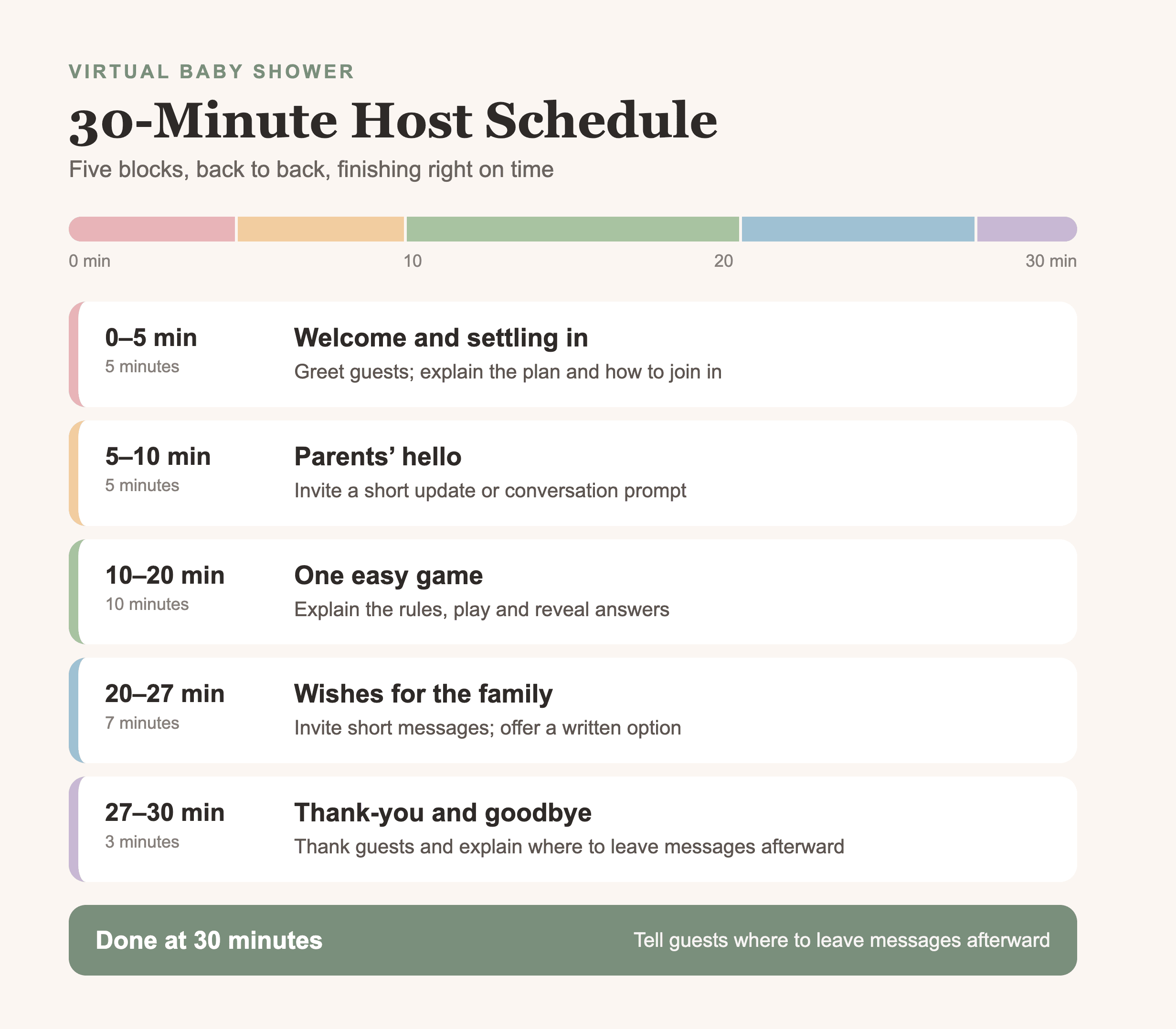
This version has one game and a short round of wishes. It works without live gift opening.
| Time from start | Activity | Host’s job |
|---|---|---|
| 0–5 minutes | Welcome and settling in | Greet guests; explain the plan and how to join in |
| 5–10 minutes | Parents’ hello | Invite a short update or conversation prompt |
| 10–20 minutes | One easy game | Explain the rules, play and reveal answers |
| 20–27 minutes | Wishes for the family | Invite short messages; offer a written option |
| 27–30 minutes | Thank-you and goodbye | Thank guests and explain where to leave messages afterward |
For a small family group, you could use the ten-minute game slot for five questions the parents have answered in advance. Ask about a favorite childhood snack or a story they want to read to the baby. Then invite each guest to share a short wish. That gives you a complete plan without preparing several different games.
For a work shower, use a game that doesn’t depend on knowing the parents’ private life. Our virtual baby shower games for coworkers offer ideas you can adapt.
If you want to show a few gifts, replace the wishes segment with gift opening and invite written wishes before or after the call. Trying to squeeze both into the same seven minutes may feel rushed.
A 60-Minute Virtual Baby Shower Agenda
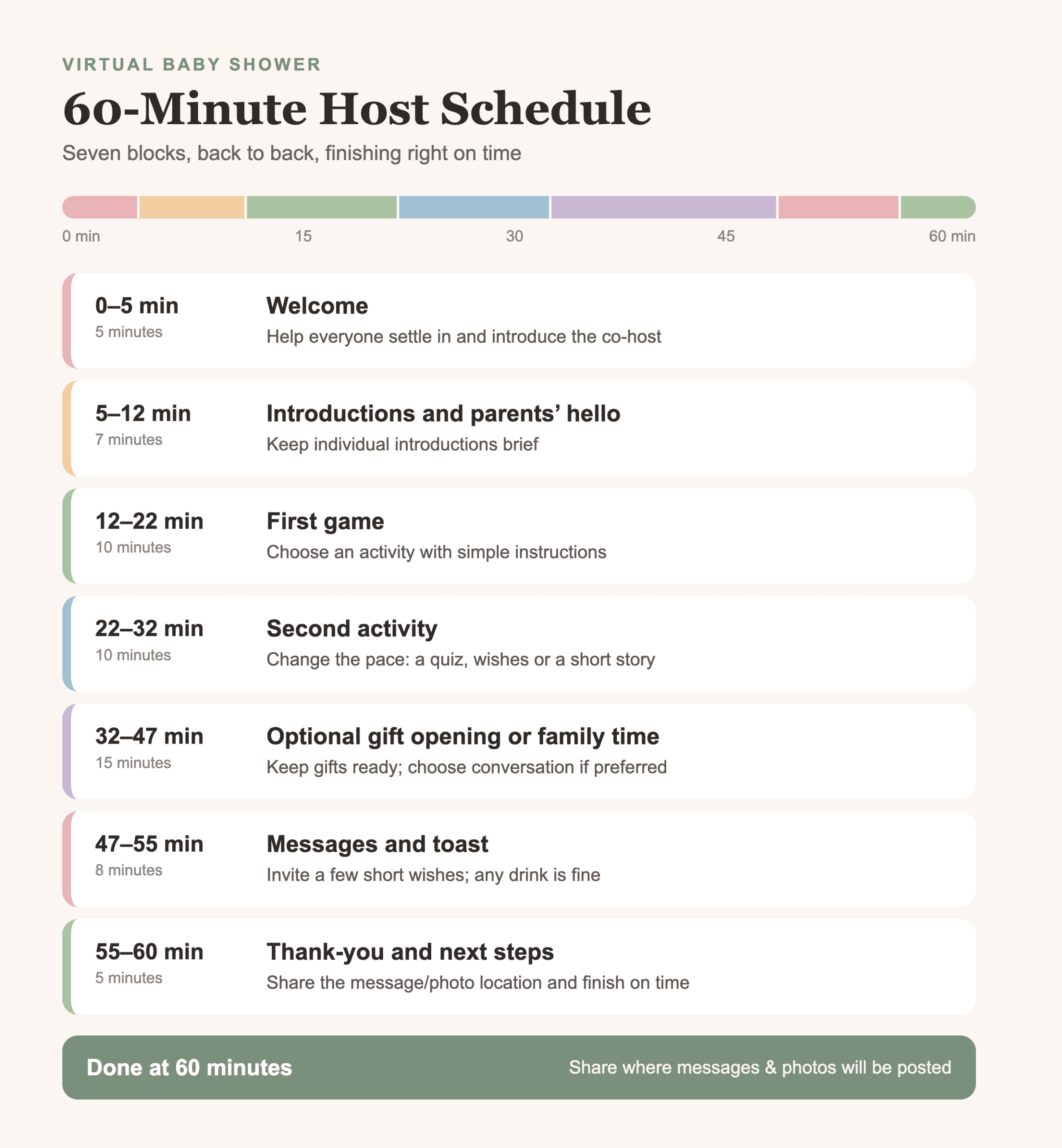
This version leaves space for two short activities and optional gifts. You can also use the gift slot for stories, photos or a relaxed conversation.
| Time from start | Activity | Host’s job |
|---|---|---|
| 0–5 minutes | Welcome | Help everyone settle in and introduce the co-host |
| 5–12 minutes | Introductions and parents’ hello | Keep individual introductions brief |
| 12–22 minutes | First game | Choose an activity with simple instructions |
| 22–32 minutes | Second activity | Change the pace: a quiz, wishes or a short story |
| 32–47 minutes | Optional gift opening or family time | Keep gifts ready; choose conversation if preferred |
| 47–55 minutes | Messages and toast | Invite a few short wishes; any drink is fine |
| 55–60 minutes | Thank-you and next steps | Share the message/photo location and finish on time |
The introduction slot won’t accommodate a long story from every person in a large group. Ask guests to share their name and connection to the family, or introduce groups yourself: “We have friends from work, cousins from three cities, and some very excited grandparents joining us.”
A Short Host Script for the Transitions
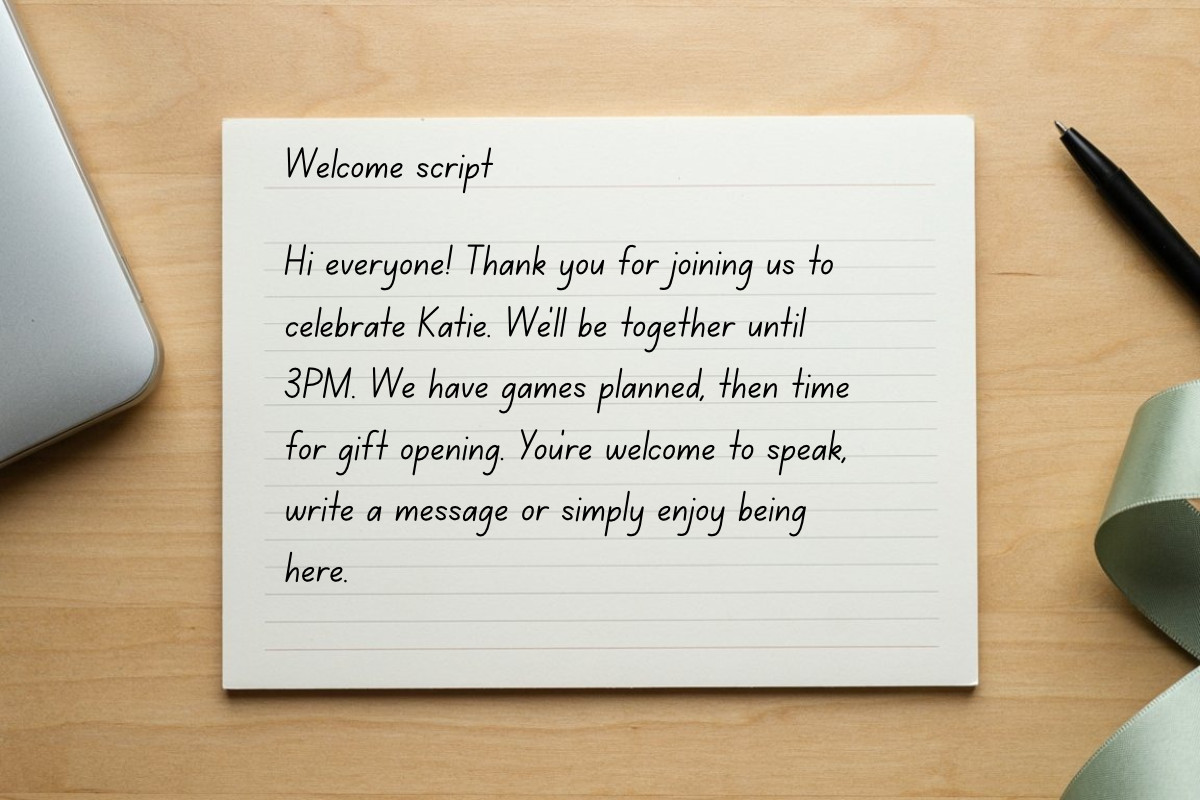
You don’t need to perform. A few lines on a note beside your screen can help you welcome everyone and move between activities. Adapt these original examples to your family’s names and plans.
Opening the Shower
Hi everyone! Thank you for joining us to celebrate [parent names]. We’ll be together until [end time and time zone]. We have [activity] planned, then time for [messages or gifts]. You’re welcome to speak, write a message or simply enjoy being here.
Introducing Your Co-Host
[Co-host name] is helping today. If you have trouble hearing or joining in, contact them at [agreed contact method]. I’ll keep us moving, and they’ll help make sure nobody gets missed.
Starting a Game
You’ll need [materials]. I’ll read each question and give everyone time to answer. We’ll reveal answers together, so please save yours until I say it’s time. It’s fine to pass or just watch.
Moving to Messages
We’d love to hear a few wishes for the family. Keep yours to a sentence or two so we have time for others. If you’d rather write, you can leave a message at [message location].
Closing the Call
Thank you for making time to celebrate [parent names]. We’ll put [approved photos or an update] at [shower website or agreed location]. You can leave a message there even after today’s call. We’re so glad you could be part of this!
Decide About Gift Opening Before the Party
Ask the parents whether they want to open gifts live. Some enjoy sharing that moment; others would prefer to open things quietly or avoid making gifts the center of the event.
If you include it, gather the gifts and a way to note who sent each one before the call. Keep mailing labels and addresses out of camera view. Choose a stopping point rather than promising to open everything.
For example, 15 gifts at roughly one minute each would fill the entire 15-minute gift segment, without any buffer. If the pile is larger, open a few and thank the remaining guests personally afterward. Anyone who didn’t send a gift should feel just as welcome.
Do a Small Practice Run
Before the event, have a co-host join from a different device or location. Check that you can hear each other, read any game materials, and follow the same joining instructions your guests will receive. If using camera and microphone access, practice accepting the browser’s prompts.
Keep one way to contact guests if the call has a problem. Your backup can be a short message with revised joining instructions, a different tested call option, or an invitation to leave wishes on the shower page while you reconnect. Don’t spend the whole party asking every guest to troubleshoot.
Write the full date and time zone on the invitation. When sharing a converted time, check it for the actual event date, especially if guests live in places with different daylight-saving changes.
Give Guests Somewhere to Return After the Call
The live agenda is only part of the celebration. Some people may miss it because of work or time zones; others may want to come back to leave a message or look at photos.
The guest book is a useful place for a cousin who couldn’t get away from work to leave a wish later. In a WebBabyShower demo, you can look at how messages and shower details sit alongside the live celebration. Choose a plan whose access period covers the time you want guests to return.
If you’re still organizing the wider event, our virtual baby shower planning guide covers the preparations beyond the running order.
Virtual Baby Shower Agenda FAQs
What If Guests Join Late?
Have the co-host welcome them and explain the current activity. You don’t need to restart the game or repeat every introduction. Leave a little settling-in time at the start and keep the end time you promised.
Do We Have to Play Games?
No. Replace a game with a family photo, a short story, or a round of wishes. Choose something the parents would enjoy rather than filling the schedule because it looks like a traditional shower.
What Should We Cut If We Run Behind?
Shorten the second activity or gift opening first. Keep enough time to thank everyone and say goodbye. A warm ending is better than abruptly closing the call halfway through a final game.
Can We Use This Agenda for a Hybrid Shower?
Yes, but plan the online segment deliberately. Tell remote guests when they will join, give them a dedicated host, and choose activities they can play from home. The in-person gathering can continue afterward without leaving online guests waiting through food or cleanup.
Throw a Virtual Baby Shower so Everyone Can Celebrate!
• Explore the demo before choosing a plan
• Only 1 Minute Setup!
• 80+ Custom Themes & Matching Invites
• Use Any Online Registry
• Send Unlimited Invites and Updates
• Baby Shower Games with Scoreboards, Give Prizes!